
Most of the sail is already specified from your boat and comparable sail records. In Basic, you confirm the choices that depend on your boat and how you sail, then share the evidence a sailmaker needs.
Start in Basic
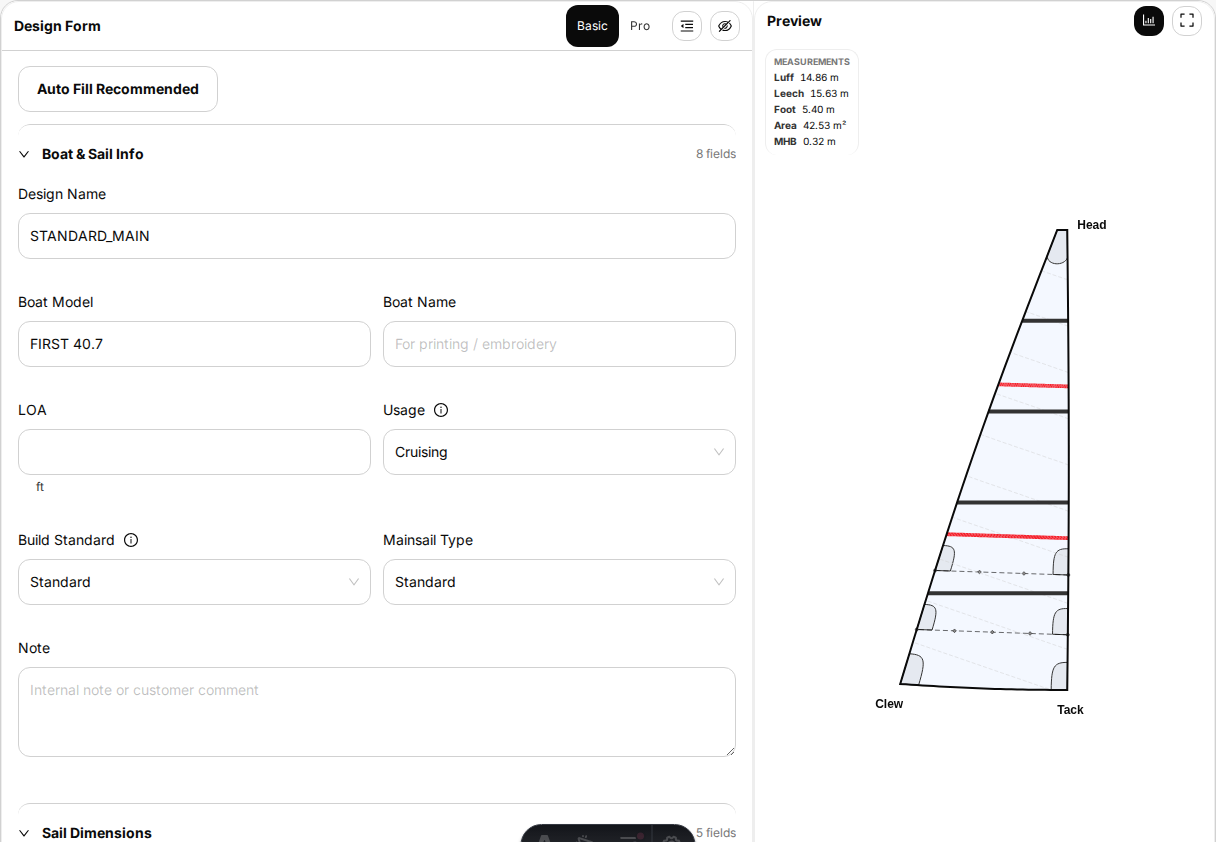
Open a sail from an AI inventory, a boat profile or My Sails. The Designer opens in Basic, with the boat and sail identity, recommended values, a live preview and the sail price in the same workspace.
Use the form from top to bottom. A new design can use Auto Fill Recommended for a sensible starting configuration. Recommended values remain visible and editable; they are not hidden production decisions.
The Designer keeps the sail shape and sail price beside the choices you are making. You can see the effect of a decision without leaving the form.
Confirm the boat-specific details
Pay attention to the few things that only your boat can settle:
- mast track, furler, slides or cars;
- tack, head and clew connections;
- the actual luff, foot or girth where requested;
- reefing and handling interfaces;
- a mast, boom, bowsprit, track or furler that differs from the standard boat.
If the boat record matches what is fitted, keep the recommendation. If you know an actual value, use it. If you do not know, do not choose the closest-looking fitting merely to complete the form. Use the field Tip, add a Design Note and share a photograph for review.
Make your choices
The customer-facing choices are deliberately short:
- Usage and build standard — what the sail is for and how it should be built.
- Cloth and construction — the balance of service life, weight, shape holding and price.
- Battens, reefing and handling — how the sail will be controlled by the crew you normally sail with.
- Protection and markings — UV and chafe protection, sail number, logo, stripes and colours.
- Bag and accessories — what is supplied with the sail.
The form is conditional. A choice such as furling, hanks or full battens reveals only the details that follow from it and hides options that no longer apply.
Use Tips; open Pro only when you need it
Fields with an information icon have a built-in Tip. It explains what the field changes, compares the available choices and links to a full guide when the decision needs a diagram or measurement instruction.
Stay in Basic for a normal order. Open Pro only when you have a particular value to control, such as a direct rig measurement, corner fitting size, marking position or certification detail. Pro is a fuller view of the same sail, not a better sail, and it is not a checklist you must complete.
Tips explain the choice in plain language. They do not ask you to make an engineering judgement.
Share photographs and files
Save the design first, then open Images & files in the Designer. You can upload multiple images or files, see image previews, open an attachment, rename it or remove it later. Individual files must be smaller than 10 MB.
For hardware, clear photographs are usually more useful than a guessed model name:
- Include one wider view showing where the part sits on the boat.
- Add front, side and connection-direction views where the shape is ambiguous.
- Put a ruler or tape beside the part when scale matters.
- Include a readable brand or model marking if one exists.
- Name the file or add a Design Note so we know what the photograph shows.
There is no need to photograph the whole boat. If a detail is uncertain, show that detail and let the sailmaker identify what matters during review.
Save, review and continue
Designs save as drafts. The preview and sail price update as you work, and a draft can be reopened or copied without placing an order. When the choices and boat details are ready, continue to Price, shipping and payment.