
Every order starts from a boat, not a blank form. Search your boat, choose how you want to begin, and carry that record into the same Designer.
1. Search for your boat
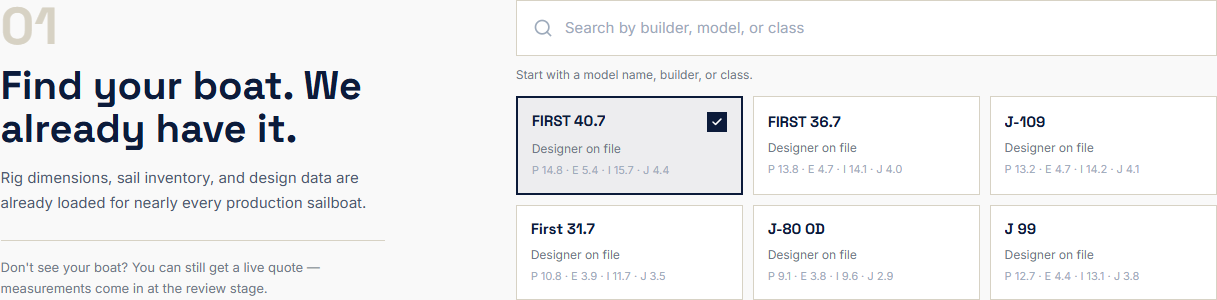
Open Boats and search by builder, model or class. Choose the matching model and, when the boat offers more than one rig, select the version that matches yours.
The library contains 6,800+ boat models and more than 33,000 sail specifications from comparable boats. The value is not the size of the number by itself. Those records give the Designer a measured starting point: rig dimensions, typical sail roles, sail areas and observed ranges. You are correcting a starting point, not filling in a blank form.
The data works in three layers:
- Boat model identifies the documented rig and the dimensions that bound the first build.
- Comparable sail specifications show which sail roles, areas and configurations are common on that model.
- Your boat evidence — photographs, modifications and actual measurements — confirms what is fitted now.
The database gives us the starting point. Your boat confirms the final fit. A sailmaker checks both before production.
2. Start in one of two ways
There are two equally valid routes. The choice depends on whether you want help planning the wardrobe or already know which new sail you want to create. Both routes end in the same Designer and receive the same sailmaker review.
Option A — Build an inventory with AI
Choose Plan my inventory or Add inventory from the boat page when you are not sure which sails your boat needs. The short brief asks about the sailing you actually do:
- Primary use: Cruising, Racing or Charter
- Sailing area: Inshore, Coastal or Offshore
- Conditions: Light, Mixed, Heavy or High UV
- Crew: Single, Short or Full
- Priority: Easy, Durable, Performance or Value
- Optional sail types, target count and notes
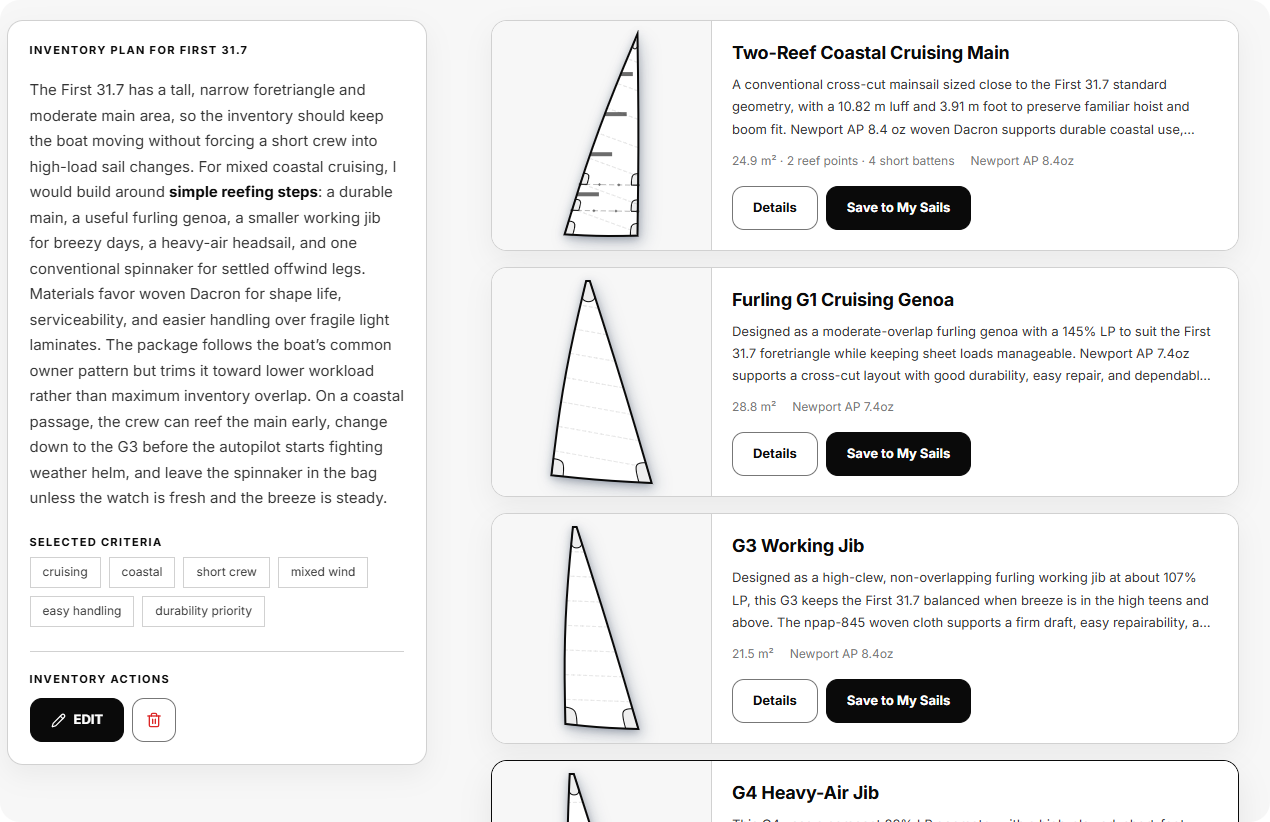
AI combines those answers with the boat record and comparable sail specifications to suggest a working inventory. Read the strategy first, then inspect the individual sail cards. You can revise the brief, ask AI to adjust one recommendation, save only the sails you want to continue with, and leave the rest for later.
The route is:
Choose your boat → Tell us how you sail → AI generates an inventory → Open one recommended sail → Configure and order
Option B — Create one sail directly
Choose this route when you already know what new sail you are replacing or adding. Select a sail type or profile from the boat page, review the observed dimensions and choose Configure. This creates a new sail design from the boat record; it is not a ready-made inventory item or an old sail record being sold to you.
The route is:
Choose your boat → Choose a sail type or profile → Create a new sail design → Configure and order
You do not need to generate a complete inventory first. Saving a recommendation or opening a profile creates a sail draft; it is not an order.
Where the routes meet
Both options carry the same boat data into the same Designer. From there the path is identical: configure the sail, see its price, add your address for shipping, place the order, and enter sailmaker review.
What the record can and cannot know
The record knows the design context: the rig as documented, typical sail geometry and what comparable boats have used. It cannot know a later mast, boom, furler, track or bowsprit modification. That is normal. If your boat differs, tell us in the Designer and add a photograph; the difference becomes part of review.
If your model is not listed, start with the information you have. An existing sail that fits well, an original sail plan and clear photographs are useful evidence. The missing details can be added before production. The absence of a database record changes the starting point, not the final review process.
What happens next
You now have either a recommended inventory or a new sail design ready to configure. Continue to Configure your sail and share boat details.